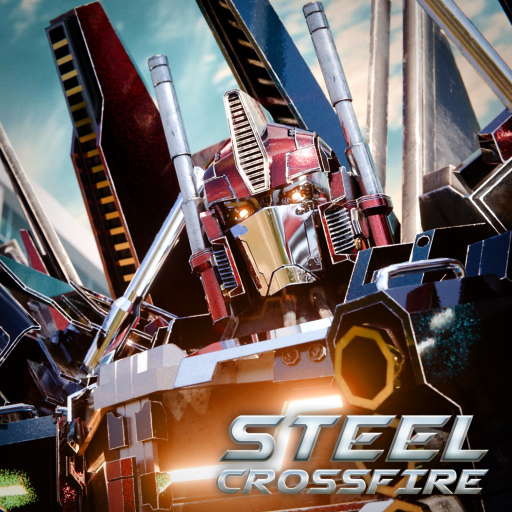
Steel Crossfire Beginner Guide: First Match Priorities Plan
Use this Steel Crossfire beginner guide to learn the official controls, choose a faction, practice each form, and protect early Shards safely.
Open the official Steel Crossfire Roblox experience to verify the current live build.
Evidence note: the official Roblox page documents the three control sets and the Valorians-versus-Reavers premise, but the archived evidence does not establish a complete current progression path. This guide therefore gives you a safe first-session routine and clearly marks the places where the live game must be your final reference.
The quickest way to enjoy Steel Crossfire is to stop treating Bot, Vehicle, and Jet forms as three separate characters. They are one movement-and-combat toolkit. Spend your opening matches learning what each form solves, then make resource decisions only after you can recognize why you won or lost an engagement.
Build your first-match foundation
Start in Bot Mode and get comfortable with the actions that keep you alive: move with WASD, aim with the right mouse button, fire with the left mouse button, reload with R, melee with E, parry with Q, dash with Ctrl, and switch weapons with F. The official page also lists T as Transform, which is the key that connects the whole game loop.
Do not try to memorize every input while an opponent is already pressuring you. Use a quiet moment after spawning to perform a short drill:
- Move, run, dash, and jump without firing.
- Aim at a fixed object, fire a burst, reload, and switch weapons.
- Transform once, travel a short distance, and return to Bot Mode.
- Repeat until you can find melee, parry, and transform without looking at the keyboard.
This general gameplay overview is useful for seeing how quickly matches move. Watch the transitions and positioning rather than treating the creator's opinions as official mechanics.
Give every form one clear job
The official controls support a straightforward mental model. Bot Mode has the broad combat kit, Vehicle Mode handles fast ground travel and drifting, and Jet Mode adds vertical movement. You do not need a complicated combo chart on day one. You need a dependable answer to three questions: how will I fight, how will I cross open space, and how will I change elevation?
| Form | Verified inputs | Beginner job | Live check |
|---|---|---|---|
| Bot | T, E, Q, Ctrl, R, F, mouse buttons | Learn direct combat, defense, and weapon handling | Confirm your customized bindings before a match |
| Vehicle | WASD, Shift, hold Space, mouse buttons | Cross ground quickly and practice controlled turns | Check how your chosen character handles drift and attack mode |
| Jet | WASD, Shift, Space, Ctrl, mouse buttons | Gain or lose height and approach from a new angle | Check whether the selected character actually has a Jet form |
Vehicle Mode uses Shift to boost and holding Space to drift. Holding the right mouse button enters the listed Striker Mode so the form can fire, while holding the left mouse button fires. Jet Mode also boosts with Shift, but Space ascends and Ctrl descends. That difference matters: the same keys that jump or dash in Bot Mode become altitude controls in the air.
Choose a side without inventing bonuses
The official description frames the conflict as Valorians against Reavers. Community documentation places characters such as Bastion and Centurion with the Valorians, and Beater, Roughcut, and Strato with the Reavers. What the available evidence does not prove is that one faction receives a universal stat bonus or is automatically better for beginners.
Treat faction choice as roster identity and presentation until the current game shows you a mechanical difference. If the client asks you to choose a side, read the on-screen explanation. If it lets you use characters from both sides under different conditions, follow the live rules instead of an old video or wiki comment.
A useful first-session goal is not “pick the strongest faction.” It is “find one character whose movement and weapon rhythm I understand.” Once you have that anchor, comparisons become meaningful because you are changing one variable rather than learning an entirely new kit every spawn.
Protect Shards while you learn
Archived community pages document example character prices in Shards, including 1,750 for Bastion, 5,000 for Strato, and 11,500 for Centurion. Those examples show why careless early spending can matter, but they are not a promise that the live shop still uses the same prices. Open the character screen and confirm the exact cost before committing.
Use this low-risk spending routine:
- Check the current balance and the exact live price.
- Decide which character or upgrade solves a problem you can describe.
- Keep a reserve instead of spending the full balance.
- Use the site's Shard calculator with the values shown in your client.
- Recheck the Codes page before a planned purchase, because code status changes.
Avoid buying simply because a character appears in a highlight video. Footage can demonstrate movement or weapons, but it may reflect a different patch, a practiced player, or an edited match. Your first purchase should match the mode you enjoy and the job your current roster cannot cover.
Frequently asked questions
What should I learn first in Steel Crossfire?
Learn Bot Mode movement, aim, reload, transform, and one defensive action first. Then practice short Vehicle and Jet routes. That order gives you a stable combat base before adding faster travel and vertical positioning.
Are the Valorians or Reavers better for beginners?
The available official evidence names the two factions but does not confirm a universal beginner advantage. Choose based on the current roster and live character information, not an unsupported faction-wide stat claim.
Should I spend all my starting Shards?
No. Confirm the live price, identify what the purchase improves, and keep a reserve. Community-documented costs show that characters can require very different amounts, so an impulse buy can delay a more useful unlock.
Where should I verify changed controls or progression rules?
Use the current in-game settings and menus first, then the official Roblox game page and Marmot's Oven community announcements. Controls are officially described as customizable for each platform.