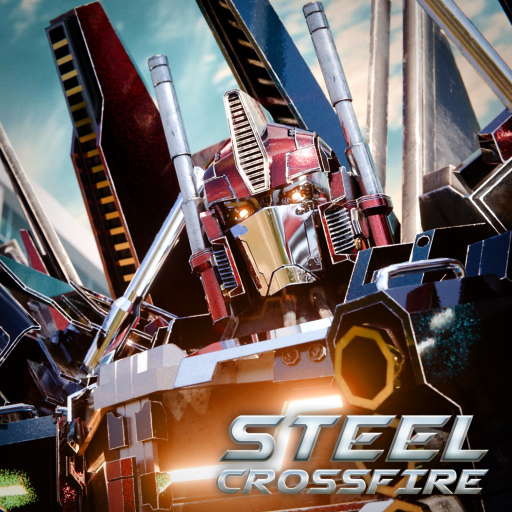
Steel Crossfire Transformation Modes: Bot, Vehicle, Jet
Master Steel Crossfire transformation modes with official Bot, Vehicle, and Jet inputs, tactical jobs, and a clear warning about unverified overheat rules.
Open the official Steel Crossfire Roblox experience to verify the current live build.
Evidence note: the official page verifies separate Bot, Vehicle, and Jet control sets. The collected structured evidence does not confirm a current universal vehicle-overheat mechanic, exact transition timing, cooldown, speed, or form availability for every character. Check those details in the live build.
Steel Crossfire transformation modes work best as a decision system. Bot Mode handles the broad combat kit, Vehicle Mode creates fast ground routes, and Jet Mode adds vertical control. The mistake is transforming because the key is available rather than because the next form gives you a better line, angle, or escape.
Match each form to a battlefield job
| Mode | Official movement inputs | Official attack inputs | Practical job |
|---|---|---|---|
| Bot | WASD, Shift, Ctrl, Space | E, Q, mouse buttons, R, F | Direct combat, defense, aiming, and weapon handling |
| Vehicle | WASD, Shift, hold Space | Hold right mouse for Striker Mode; hold left to fire | Fast ground travel, pursuit, and route changes |
| Jet | WASD, Shift, Space, Ctrl | Hold right mouse for Striker Mode; hold left to fire | Altitude changes, aerial approaches, and vertical escapes |
Bot Mode is the place to learn the opponent because it exposes aim, melee, parry, reload, and weapon switching. Vehicle Mode reduces that decision load and emphasizes travel plus a held firing state. Jet Mode adds a second movement axis, so height becomes as important as direction.
This gameplay video gives broad visual context for transformations and the game's pace. Watch when players change forms and what problem the change solves; do not copy undocumented timings as fixed values.
Use Bot Mode to stabilize the fight
Bot Mode uses WASD to move, Shift to run, Ctrl to dash, and Space to jump. The combat set is E for melee, Q for parry, left mouse to fire, right mouse to aim, R to reload, and F to switch weapons. Press T to transform.
Stay in Bot Mode when you need precise weapon control, a parry, or a clear read on an opponent. Before transforming away, identify the exit: a street, a piece of cover, a roof line, or open air. A blind transform can trade a familiar combat kit for a route that immediately collides with geometry.
Practice this loop:
- Aim and fire a controlled burst.
- Decide whether the opponent is closing or leaving.
- Use melee or parry only when the situation calls for it.
- Transform if travel or elevation now matters more than the current weapon exchange.
- Return to Bot Mode when you need the full combat actions again.
The evidence does not provide frame-perfect parry windows or transform invulnerability. Do not build a guide around those numbers unless the current game or creator documentation supplies them.
Build clean Vehicle routes
Vehicle Mode drives with WASD, boosts with Shift, and drifts by holding Space. To fire, hold the right mouse button for the listed Striker Mode and hold the left mouse button to fire.
Choose the route before entering the firing state. Vehicle Mode is most useful when you know where the next corner, lane, or cover point is. Boosting into a wall or drifting without an exit wastes the form's main advantage.
No verified structured fact in this build establishes the overheat threshold, recovery time, or whether the rule applies identically to all vehicles. If the live HUD shows heat, use the displayed bar and warning. If it does not, do not invent a hidden meter based on an older video.
Control height deliberately in Jet Mode
Jet Mode moves with WASD, boosts with Shift, ascends with Space, and descends with Ctrl. Its Striker Mode and fire inputs use the same held mouse buttons documented for Vehicle Mode.
New pilots often hold ascend until they are exposed. Instead, travel level between two visible points, add one short climb to clear geometry, and descend behind cover. This makes height a deliberate choice rather than background movement.
Before entering Striker Mode, check the ground route and the sky. Open air improves movement options but can also make your position easier to see. The evidence supports the control scheme, not a promise that altitude is always safer.
Frequently asked questions
What key transforms in Steel Crossfire?
The official keyboard-and-mouse list gives T as Transform in Bot Mode. Check the live settings if your binding differs.
How do I attack in Vehicle or Jet Mode?
The official list says to hold the right mouse button for Striker Mode and hold the left mouse button to fire. Make sure you are in the correct transformed form.
Is vehicle overheat confirmed?
Not as a complete current rule in the structured evidence used for this page. Follow any heat bar or warning shown by your live client and avoid relying on an old numeric threshold.
Does every character have all three forms?
The evidence confirms the game's three control sets, not identical form access for every character. Verify the selected character's current form and kit in game.