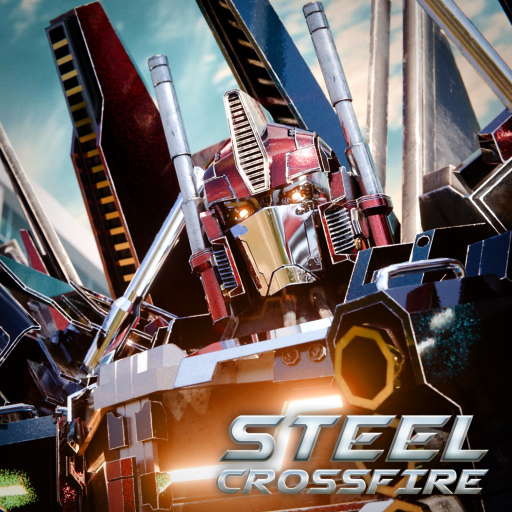
Steel Crossfire Items Guide: Weapons, Skins, and Loadouts
Use this Steel Crossfire items guide to compare documented weapon slots, character arsenals, skins, and boosters without inventing a full catalog.
Open the official Steel Crossfire Roblox experience to verify the current live build.
Evidence note: the archive supports specific weapon slots, arsenals, and skins for Bastion, Centurion, and Strato, plus a current code reward involving temporary boosters. It does not support a complete current item catalog, daily-deal schedule, or victory-pose list.
Steel Crossfire items make more sense when you organize them by function instead of throwing every unlock into one list. A character loadout can include Primary, Secondary, and Stealth weapon slots; skins change presentation; boosters affect a temporary earning window; and shop or deal panels may change with updates.
Start with the documented weapon slots
The archived community pages give comparable loadouts for three characters. Bastion uses a Rocket Launcher, Machine Gun, and Power Blaster. Centurion uses a Pulse Rifle, Shotgun, and Power Blaster. Strato uses a Spread Launcher, Autogun, and Twin Rocket. The source pages label those positions Primary, Secondary, and Stealth.
| Character | Primary | Secondary | Stealth | Evidence boundary |
|---|---|---|---|---|
| Bastion | Rocket Launcher | Machine Gun | Power Blaster | Community snapshot; confirm live kit |
| Centurion | Pulse Rifle | Shotgun | Power Blaster | Community snapshot; confirm live kit |
| Strato | Spread Launcher | Autogun | Twin Rocket | Community snapshot; confirm live kit |
This skins-and-update video is useful for seeing how cosmetic additions can arrive between documentation passes. Treat its update as dated context and use the current wardrobe or shop for availability.
Compare weapons by job, not by unsupported DPS
The community pages add qualitative damage, range, fire-rate, and ammo labels, but a compact label is not the same as a verified current damage model. Use the names and slot relationships as a starting point. In game, compare how the weapon handles at the range you actually fight.
For each slot, check:
- Whether the weapon is available in Bot, Vehicle, Jet, or a special attack state.
- How clearly the current UI communicates ammo and reload.
- Whether the range fits the map lane you intend to hold.
- What happens when you miss, empty the magazine, or need to disengage.
- Whether an update changed the character rather than the individual weapon.
Do not import numbers from another character just because both weapons share a broad type. A “launcher” or “rifle” label does not prove identical projectiles, damage, or cooldowns.
Treat skins and variants as cosmetics until shown otherwise
Archived pages list Bastion skins named Santa, Forest, Police, and Lava; Centurion skins named Silver, Forest, Deluxe, Winter, Neon, and Lava; and Strato skins named Deluxe, RedBlue, and Neon. Those are community-documented names, not a guarantee that every option is currently obtainable.
Before spending on a skin, inspect the live description. If the UI does not state a mechanical effect, do not assume one. Cosmetic presentation can still matter to you, but it should not be sold as a hidden stat upgrade.
Availability can depend on an event, update, daily login, bundle, or current shop rotation. The archive does not resolve every acquisition path. Use the current item panel and do not pay an unofficial seller for access.
Plan boosters and changing shop panels
The verified Season 1 code evidence includes a 24-hour Shard Booster and a 24-hour XP Booster alongside Shards. That establishes the existence of those booster types in a reward context, but this article intentionally leaves the active string on the Codes page where status is reviewed.
Activate a timed booster only when you can use its live window. Check whether the timer runs in real time, play time, or another rule shown by the client. The evidence here does not support inventing a stacking formula.
Daily deals and victory poses remain unresolved collections. If those panels are visible now, record the item, price, timer, and whether the offer is account-specific. Do not turn one screenshot into a permanent catalog.
Frequently asked questions
What are the three documented weapon slots?
The archived character pages use Primary, Secondary, and Stealth for Bastion, Centurion, and Strato loadouts.
Do skins increase stats?
The evidence used here does not establish a universal mechanical bonus for skins. Read the live description and treat a skin as cosmetic unless the current game explicitly says otherwise.
Are daily deals and victory poses fully listed here?
No. Those structured collections are unresolved. Use the current panels for item names, prices, timers, and availability.
Where can I check current booster rewards?
Use the dedicated Codes page for the reviewed current code list and confirm the reward in game. Timers and stacking behavior should come from the live booster display.